


Welcoming a new employee is an important moment that requires careful planning, including from an IT perspective. A new team member should be able to start working on their very first day without wasting time because of unconfigured computers, missing accounts, software that still needs to be installed, or unavailable access permissions.
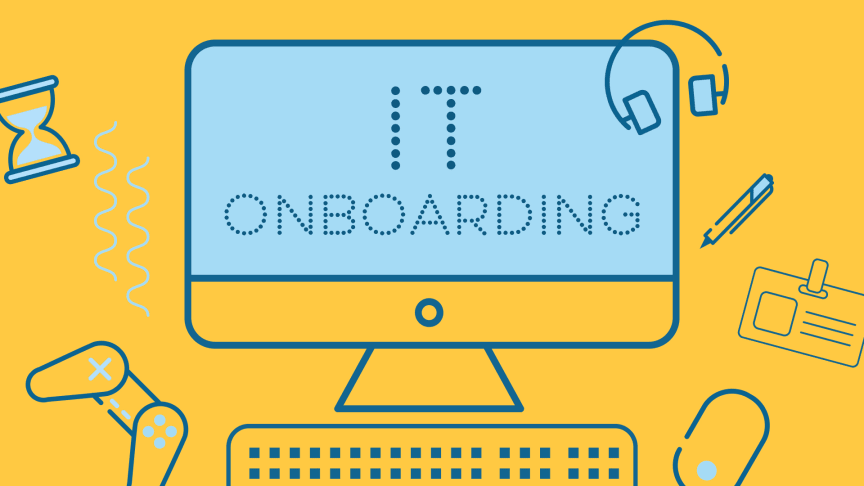
IT onboarding includes all the activities required to prepare devices, digital tools, accounts, and permissions before a new employee arrives. Organizing this process helps improve the initial experience, reduce operational disruptions, and ensure that every employee has the right tools for their role.
Why IT Onboarding Matters
When a new employee’s arrival is not properly planned, even seemingly simple tasks can turn into a series of minor problems. The computer may not be ready, login credentials may not work, or the employee may lack permission to access shared documents and business applications.
These issues delay the start of work and affect existing staff as well, who must step in to resolve problems that could have been prevented.
A well-organized onboarding process helps to:
- Reduce waiting times by preparing the workstation in advance.
- Improve productivity by allowing new employees to use the tools they need immediately.
- Increase security by assigning accounts, permissions, and credentials according to established policies.
- Standardize procedures and avoid improvised configurations that differ from one employee to another.
- Simplify IT operations through a reusable checklist for every new hire.
The goal is not simply to provide a working computer, but to ensure that each person can work effectively and securely from day one.
Prepare the Hardware Before the Employee Arrives
The first step is to identify the devices best suited to the tasks the new employee will perform. Not every role requires the same equipment: a computer used for administrative work may have different requirements from a workstation used for design, development, or content production.
Preparation should include at least the following:
- Business computer: Check performance, device condition, and compatibility with the required applications.
- Monitors and peripherals: Configure displays, keyboards, mice, webcams, headsets, and other necessary accessories.
- Connectivity: Check the wired or Wi-Fi network, connections, and any VPN access.
- Updates and drivers: Install available updates and verify that the hardware works correctly.
- Physical workstation: Check power supplies, connections, and equipment placement.
Whenever possible, it is best to use company-owned devices that are already inventoried and configured according to internal standards. This approach simplifies maintenance, makes technical support easier, and provides greater control over the hardware inventory.
Configure Accounts, Access, and Permissions
A workstation may be technically functional but still unusable if the employee does not have the accounts and permissions required for their job.
Before the employee arrives, it is therefore important to determine which resources will be essential for their role. These may include business email, collaboration platforms, management software, document repositories, communication tools, and department-specific applications.
Configuration should follow the principle of least privilege: each user should receive only the permissions necessary to perform their duties. Administrative access or extensive permissions should not be assigned automatically for convenience.
It is equally important to verify that:
- Initial credentials are delivered through secure channels.
- Multi-factor authentication and other available security measures are enabled.
- Shared folders are accessible only to authorized personnel.
- Accounts are correctly associated with the employee and their department.
- The necessary software licenses are available and properly assigned.
Organized access management helps protect business data and reduces the risk of excessive or forgotten permissions.
Install and Test the Required Software
Every employee should find the digital tools they need to start working already installed on their workstation. Installing applications at the last minute can cause delays, compatibility issues, or avoidable support requests.
It is therefore useful to establish a standard software configuration for each role or department. This may include an updated operating system, productivity tools, the approved business browser, security software, collaboration applications, and any required management or professional programs.
Preparation should include:
- Installing company-approved applications.
- Verifying software licenses and activation.
- Configuring email and communication tools.
- Checking updates and security settings.
- Testing that essential applications launch and function correctly.
When an organization uses multiple similar workstations, standardized configurations and centralized deployment tools can make the process faster and more consistent. This reduces differences between devices and simplifies future maintenance.
Do Not Overlook Security, Backups, and Data Protection
Preparing a new workstation is also an opportunity to verify that the company’s security measures are in place.
The device should be configured with appropriate protections, available security updates, and settings designed to reduce cybersecurity risks. It is also advisable to ensure that the computer is enrolled in the company’s management and monitoring systems, where available.
Key checks include:
- Antivirus software or endpoint protection solutions.
- Firewall and appropriate network configurations.
- Automatic updates and patch management.
- Disk encryption, where required by company policies.
- Multi-factor authentication for supported services.
- Data backup and recovery procedures.
- Restrictions on local administrator privileges.
It is important to distinguish between device protection and data backup: antivirus software does not replace a backup strategy, just as having a backup does not, by itself, prevent a cyberattack.
Initial training also plays an essential role. New employees should know how to recognize suspicious messages, manage credentials, and report potential security issues in accordance with internal procedures.
Create a Checklist for Every New Hire
To make IT onboarding repeatable and reliable, it is useful to create a checklist covering every stage of workstation preparation. This ensures that tasks do not depend solely on the memory of the technician or manager responsible for the new employee.
An effective checklist can be divided into four stages.
1. Before the employee arrives
- Gather information about the role and operational requirements.
- Assign the computer and peripherals.
- Create accounts and request the necessary licenses.
- Define access to folders, applications, and services.
2. Technical configuration
- Install and update the operating system.
- Configure the required software.
- Apply security policies.
- Connect the device to company management systems.
3. Workstation verification
- Test login using the assigned account.
- Check email, network connectivity, and applications.
- Verify access permissions.
- Test peripherals and communication tools.
4. First day and support
- Deliver credentials securely.
- Introduce the employee to the company’s tools and procedures.
- Provide contact details for technical support.
- Confirm that the employee can complete their initial tasks.
The checklist can be adapted to the size of the company and the complexity of its IT infrastructure. In larger organizations, it can be integrated with a ticketing system or automated workflows involving HR, department managers, and the IT team.
Automate the Process to Save Time
When new employees join frequently, manually managing every configuration can take considerable time and increase the risk of errors.
Centralized device management tools allow organizations to deploy applications, apply standard configurations, and monitor workstation status. Where the infrastructure supports it, some tasks can be automated using predefined templates for specific roles, departments, or device types.
Identity management can also be integrated into the process, coordinating account creation with the assignment of permissions and licenses.
Automation does not eliminate the need for checks, but it makes procedures more consistent and reduces repetitive work. It remains essential to verify that access permissions are assigned correctly and that every device complies with company policies.
SMEs do not always need to introduce complex tools. Even a documented procedure, a shared checklist, and a standard workstation configuration can deliver significant improvements.
Manage Employee Changes and Departures as Well
An effective IT onboarding process should be part of a broader approach to managing the lifecycle of company users and devices.
During employment, a change of role or department may require new permissions, the removal of unnecessary access, or the installation of additional applications. These changes should be tracked and approved according to internal procedures.
Similarly, when an employee leaves the company, the relevant accounts must be promptly disabled, access revoked, devices recovered, and business data handled appropriately in accordance with retention procedures and applicable requirements.
Managing employee arrivals, role changes, and departures as part of the same process helps keep the IT infrastructure organized and reduces the risk of unnecessary active accounts or unmanaged devices.
A Ready-to-Use Workstation Is the First Step Toward Working Effectively
IT onboarding should not be treated as a simple computer configuration task, but as an integral part of business operations. Preparing hardware, software, accounts, permissions, and security measures in advance helps reduce unexpected issues and gives new employees a smoother, more productive start.
With clear procedures, up-to-date checklists, and appropriate tools, even a small or medium-sized business can make the process more efficient without introducing unnecessary complexity.
Epa System supports businesses in managing workstations, configuring devices, managing access, and maintaining IT infrastructure. A well-planned IT environment helps every employee get started with the right tools while meeting operational requirements and maintaining business security.